
The sales manager’s report: answer with numbers, not impressions
Start with five numbers, keep the definitions fixed and end every weekly review with a decision, an owner and a due date.
Start with facts
Sales leadership starts with numbers. In a meeting with the owner, CEO or commercial director, a manager should be ready to say how many leads arrived, how many qualified, how many reached the key sales event, how many contracts were signed and how many deals were won.
“The week felt pretty good” does not explain what is happening. A useful report shows what changed and where customers stop moving.
Five core metrics
A first report does not need dozens of charts. Five numbers are enough to show movement through the main sales stages.
To see where customers drop out, calculate the stage-to-stage rates:
- qualified share = qualified leads ÷ new leads;
- conversion to the key event = meetings or proposals ÷ qualified leads;
- contract conversion = contracts signed ÷ customers who reached the key event;
- won-deal conversion = deals won ÷ contracts signed;
- lead-to-win conversion = deals won ÷ new leads.
Compare only periods collected under the same definitions.
What the CRM must contain
If sellers update the CRM only occasionally, the manager has to rebuild the story from chats and memory before every meeting. Agree the required fields and rules so the report comes from the CRM.
- current stage;
- deal owner;
- value, when known;
- next step and due date;
- expected decision date;
- loss reason for a closed lost deal.
Every required field must help someone make a decision. If nobody uses it in work or reporting, do not ask sellers to fill it in just because the field exists.
- A deal has only one current stage.
- The next step says what will happen, with whom and by when.
- The stage changes after the event, not just before the report.
- A lost deal closes with a specific reason.
The manager does not need to inspect every record. Review deals with no next step, overdue tasks, deals stuck too long at one stage and signed contracts with no further movement.
Run the weekly review
Choose one day and time for the snapshot. That makes the weeks comparable.
Before the meeting, fill in the five numbers, calculate the stage changes and mark the deals that need a decision. In the meeting, answer four questions:
- What changed since the last report?
- Where did stage-to-stage conversion fall?
- Which deals stopped moving, and why?
- What will we change, who owns it and when is it due?
The last question matters most. A report without a decision only describes the past. A working report ends with an action.
If you already have a report
Do not add another spreadsheet just to adopt a new format. First check whether the existing report answers management’s questions and whether the CRM can produce it without manual collection.
If it does, keep it. Clarify definitions, remove fields that never affect a decision and set a regular update time.
If it does not exist yet, use the template as a starting point. Fill it with the last complete week and run the first review using the four questions above.
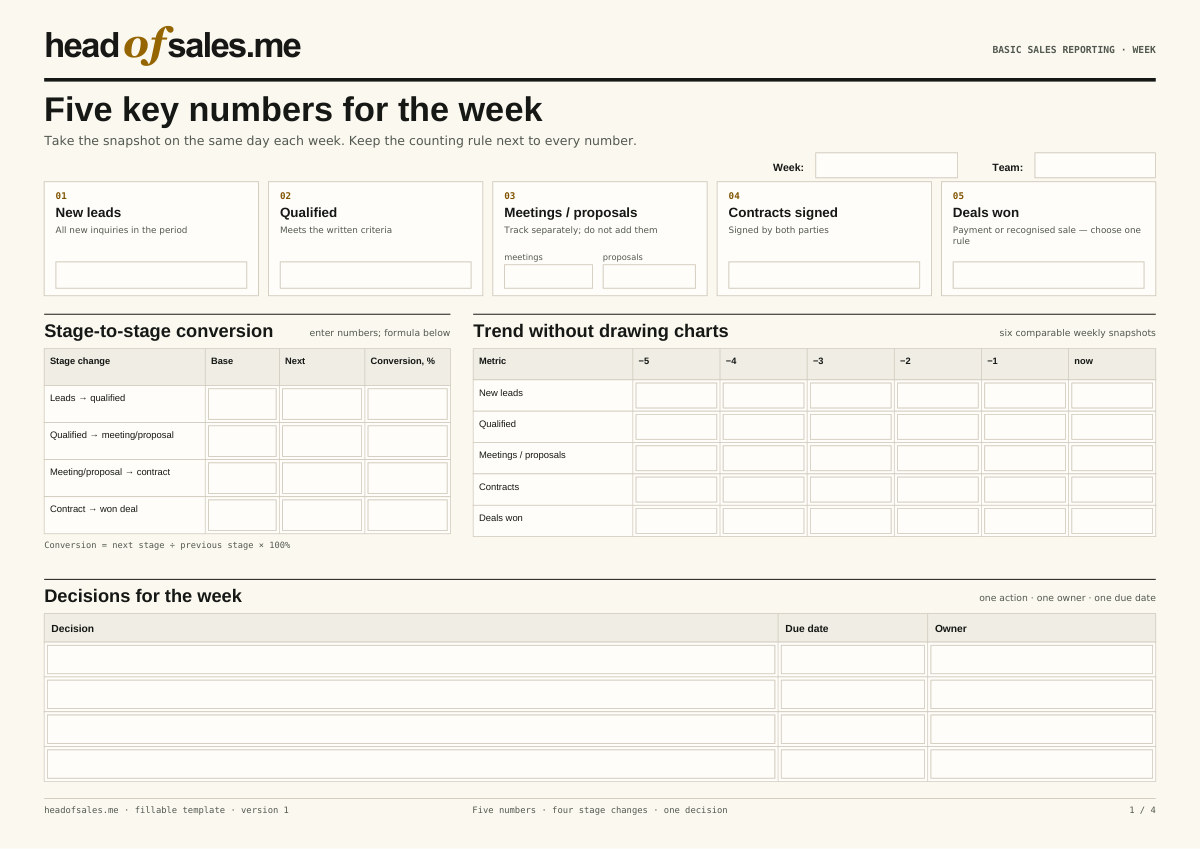
Four pages: weekly numbers, pipeline snapshot, monthly view and calculation rules. Fill and save the fields in a PDF editor.